
A contractor's page opens with a header strip — their name, compliance status and contact details — and tabs beneath it. Each tab is one kind of thing you hold on them.
The name and contact details in the strip are changed through Edit Details. Notes have a tab of their own.
Two of the labels don't match what's inside them at first glance: Tax holds the W-9, and the sixth tab carries whatever you've named your groupings — Assignments unless you've changed it.
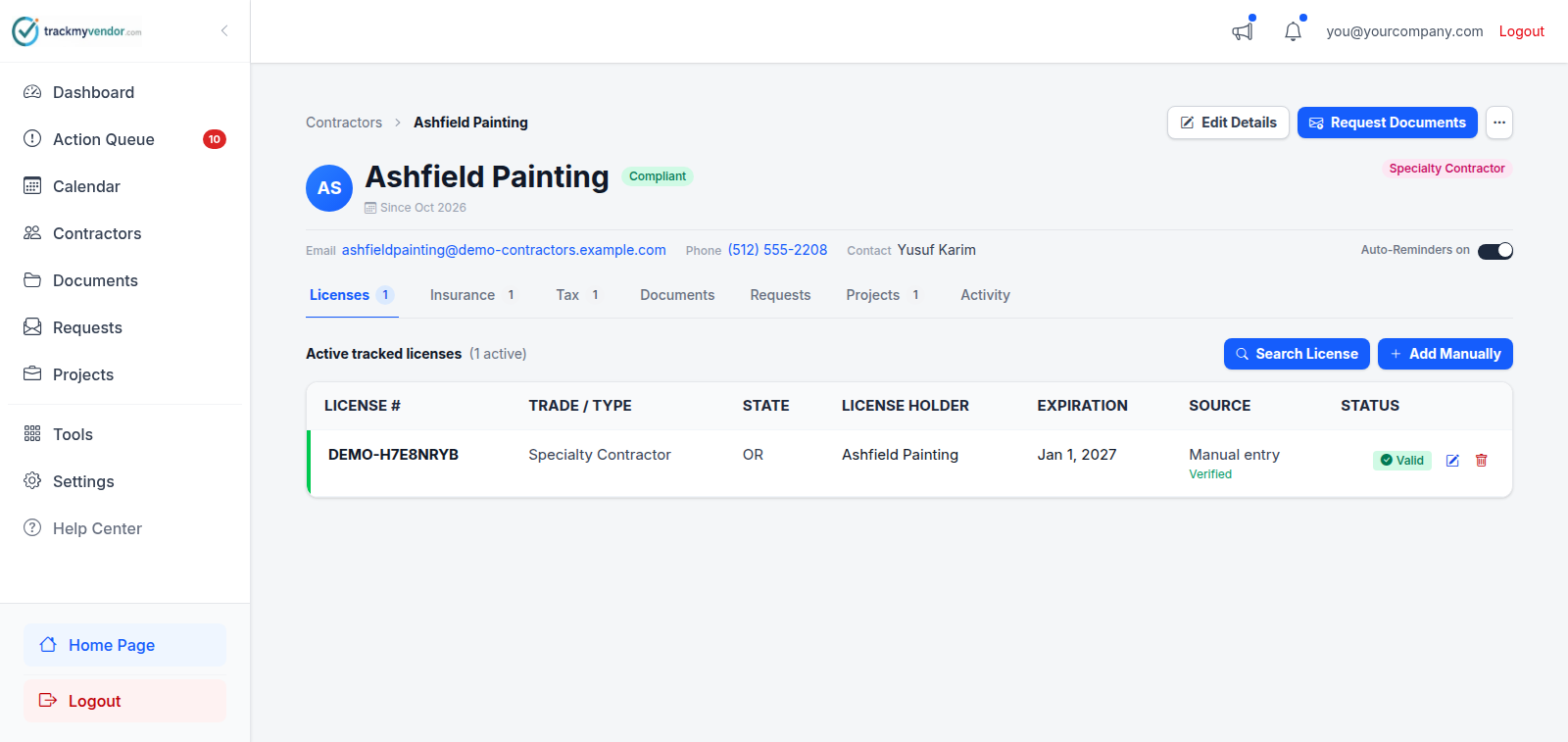
- 1 Request documents, and the rest under …
- 2 Name, compliance status and contact details
- 3 The tabs
Licenses
State licenses attached to this contractor, with the status the state reports and the expiry the state holds. Add one by searching the state database or entering it manually if we don't cover their state.
Insurance
Certificates of insurance, and the busiest tab for most people. It opens with a table of every coverage this contractor carries — the limit on file, the policy and carrier, the expiry, and whether it meets what you require — each line linked to the certificate it was read from. The certificates themselves are listed underneath, and renewed policy years move into an archive rather than sitting in the list looking expired.
Tax
Their W-9 — the tab is labelled Tax — with the name, TIN and tax classification read off it. Usually one document that never changes, which is exactly why it's easy to forget until year-end.
Documents
Everything else: safety certificates, signed contracts, business licenses, whatever you need on record. Filed under one of six categories — Insurance, Licensing, Financial, Contracts, Safety, Other.
When an EMR letter or OSHA 300A is on file, the tab opens with Safety Record & Firm Thresholds: their EMR, TRIR and DART against your maximums, read from those documents. See How EMR letters and OSHA 300As are read.
Requests
Upload links you've sent this contractor, and whether each is still pending. Resend or cancel from here.
Assignments
Which jobs or properties this contractor is on. Only appears if your plan includes it, and carries whatever name you've given the grouping — see What Projects are. A prospect has no Assignments tab: they aren't on any job until you hire them.
On a prospect's page
A Prequalification panel sits above the tabs: their documents against what you ask prospects for, their safety record, licenses and insurance at a glance, then Approve, Approve with conditions and Decline. Once decided, the panel keeps the record of who decided, when and on what conditions. See Vet a prospect, then approve or decline.
Notes
Notes for your team: what you're waiting on, an exception you've agreed, a second contact. Each note shows who wrote it and when, newest first. Anyone on the team can add one. Its author or an owner can delete it. Notes can't be edited, so to correct one, add a new note.
Notes are internal. The contractor never sees them, on the upload page or in any email. To tell the contractor something, put it in the message when you request documents.
Activity
A timestamped log for this contractor alone: every upload, request, edit and status change, with who did it. When someone asks "when did we last have a valid certificate from them?", the answer is here.
Tip