
A project is a group of contractors — a job, a property, a client, a region. It gives you two things a flat roster can't: a compliance view scoped to one piece of work, and requirements that apply to that work alone.
They're called Assignments by default
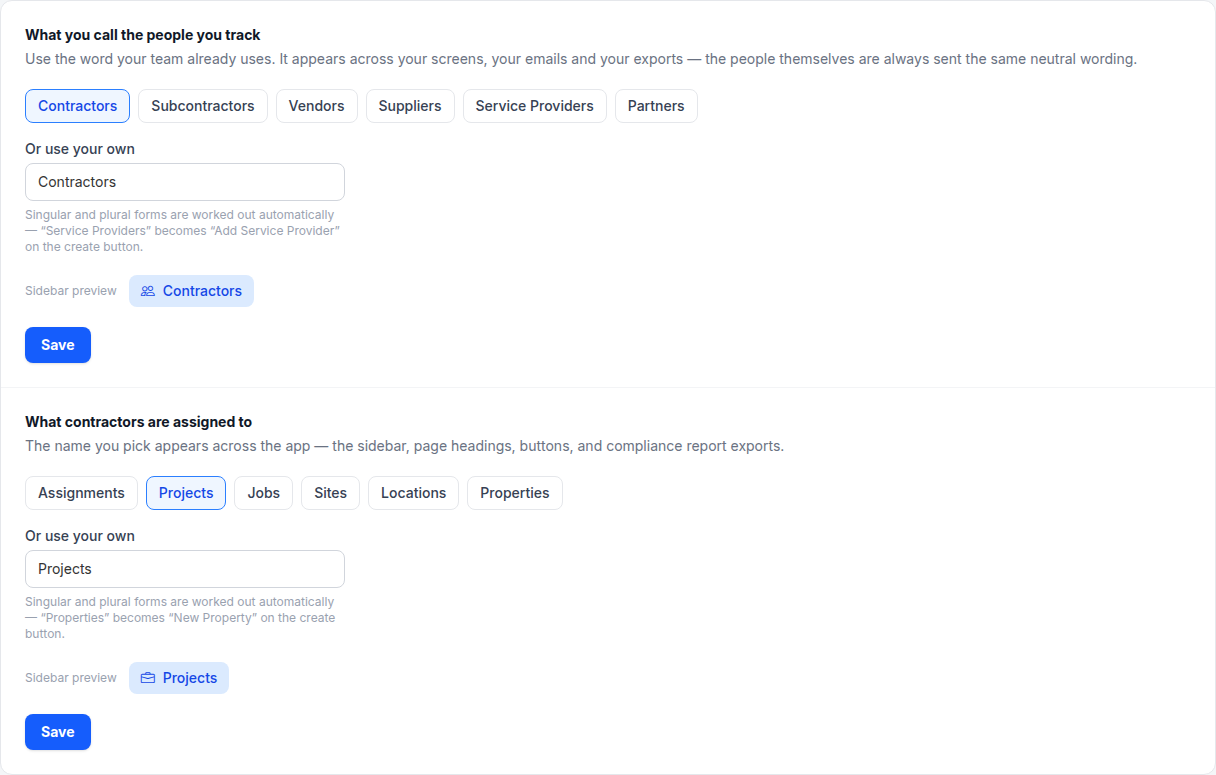
Different businesses call this different things. A general contractor says "job"; a property manager says "property"; a staffing agency says "client". Rather than making everyone live with our word, the label is yours to set.
Out of the box it's Assignments. Change it on Settings → Appearance — pick a preset or type your own, and it changes everywhere in the interface, including the sidebar.
Note
What they're for
- Scoped status. "Is everyone on the Riverside job covered?" rather than "is everyone covered?"
- Job-specific requirements. A contract demanding $5M umbrella applies to that job, not to your whole roster. How →
- Reports somebody asked for. Owners and lenders ask about a project, not about your business. Export →
Creating one
Click the item in the sidebar, then add one. Give it a name you'd recognise on a report — the address or the job number, not "Phase 2".
A contractor can be on as many projects as you like; adding them to one doesn't take them off another.