
This is the part most people expect to be painful. It isn't: you send a link, your contractor taps it, uploads a photo or a PDF, and it lands on their record already read and dated. No account, no password, no portal for them to forget the login to.
-
Open the contractor
Click Contractors, then the contractor's name.
-
Click Request Documents
Click Request Documents. A short form opens.
-
Check the address and add a note
Contractor Email is prefilled if you saved one on the record. Change it if the paperwork comes from someone else — an office manager or a broker, say.
Message is optional and goes into the email as-is. It's the place for "we need this before Monday" or the job name, so they know which of their many general contractors is asking.
-
Send
Click Send Request. The email goes out immediately.
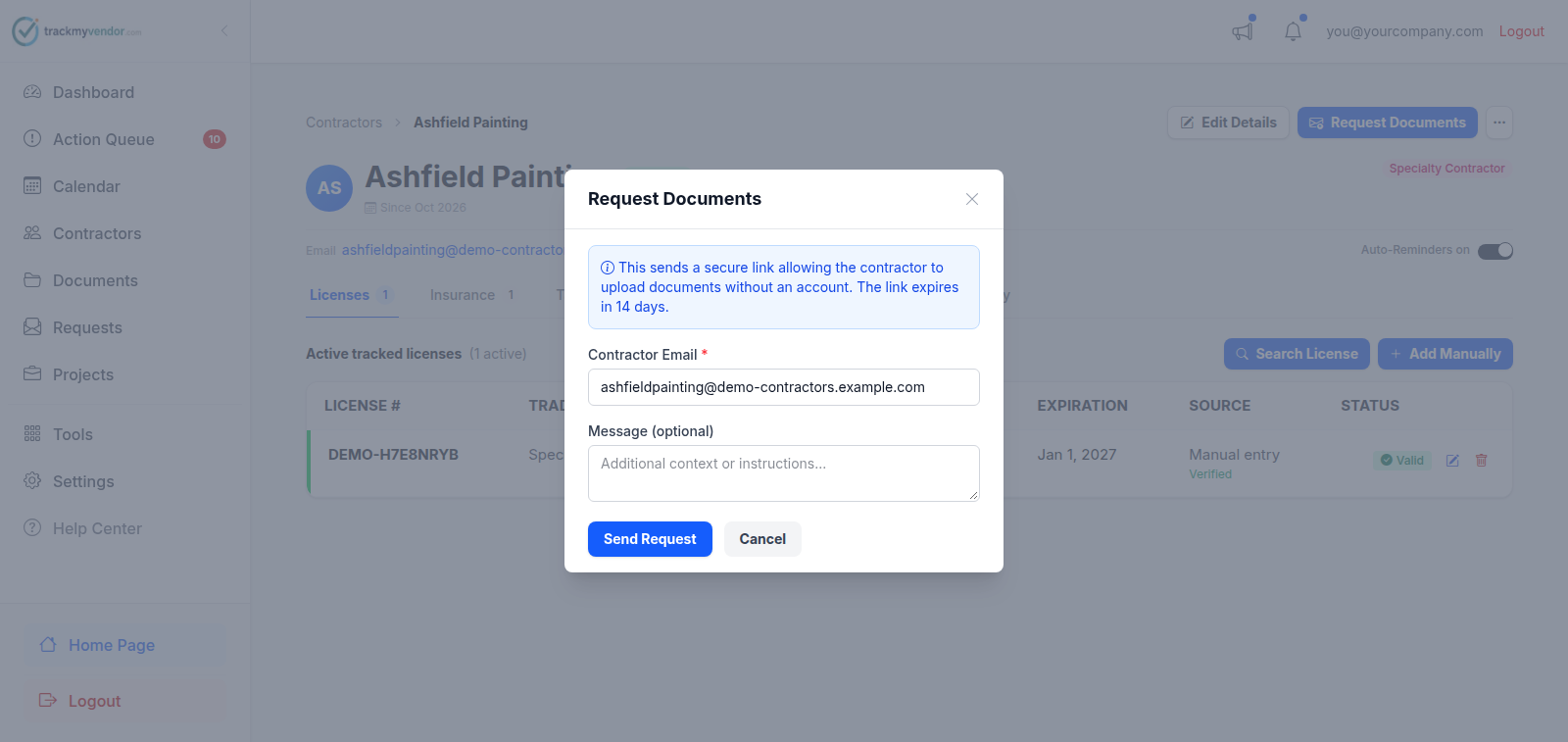
- 1 Where the link is sent
- 2 Optional note — include the job name
- 3 Sends the email straight away
Careful
Asking for less
If you require documents of every contractor, the request form lists the ones this contractor still owes under Ask for, all ticked. Untick anything they don't need to send this time — no EMR letter from the cleaning service. The email, its reminder and their upload page leave it out. It's still required, so it still counts toward their status.
What your contractor sees
An email from us, on your behalf, with a single button. Tapping it opens a page where they pick a document type, attach a file or take a photo, and submit. There is nothing to install and nothing to sign up for. The whole thing takes about two minutes.
If a contractor asks you what the link is, point them at You got a link asking for documents — it's written for them, not for you.
What happens next
The request appears on the Requests screen under Waiting on contractor until it's used. Each document type you asked for is ticked as something of that kind comes back through the link, and the Delivery column shows whether they've opened it. When the file arrives, parsing reads the dates off it and the contractor's status updates on its own — you don't have to open the PDF. See what AI parsing reads off a certificate.