
Best COI Tracking Software [2026] — Side-by-Side Comparison
Enterprise COI platforms start around $500/month and make you book a sales call before you can see a price. Whether you run 10 subs or 300, if you need to know each one is compliant for each specific job — not just that a policy exists somewhere — most of the options below weren't built for you.
No credit card · No sales call · Set up in under 10 minutes

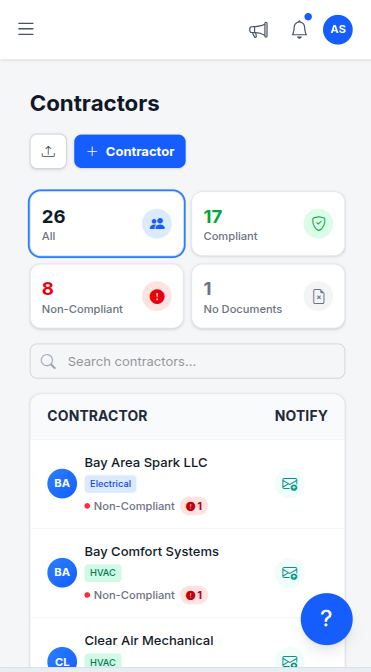
This page compares six options head to head: spreadsheets, myCOI, Billy, TrustLayer, Jones, and TrackMyVendor. We cover what each platform actually does, who it's built for, where it falls short, and what it costs — with real numbers where they're publicly available.
We've tried to be honest about TrackMyVendor's limitations too, because a comparison page that only says nice things about itself is just an ad. A checkmark means the platform has the capability in its standard product. A partial means it exists but with meaningful limitations — behind a higher tier, requiring professional services setup, or only through a paid integration. An ✗ means the feature isn't there.
What is COI tracking software?
COI tracking software — also sold as COI management software, COI management solutions, or simply COI solutions, and spelled out as certificate of insurance tracking software or certificate of insurance management software — automates how general contractors and property managers collect, store, and monitor Certificates of Insurance from their subcontractors and vendors. Instead of emailing subs for PDFs and updating a spreadsheet by hand, it centralizes every certificate, reads the coverage details automatically, and warns you before a policy lapses.
These tools monitor contractor insurance certificate expiration on your behalf — flagging upcoming lapses at 90, 60, 30, and 7 days so you act before a sub's coverage runs out, not after. Vendors label the category differently — a contractor and vendor COI tracker, COI software, COIs tracking software — and the wording tracks one loose distinction: tracking watches expiration dates on certificates you already hold, while management covers the whole loop of requesting, collecting, parsing, verifying against your requirements, storing and renewing. Every platform on this page does the full loop, so the label tells you more about the vendor's marketing than about the product. The job is the same either way: keep every contractor COI current in one place instead of a folder of PDFs. The strongest platforms go one step further and verify that the contractor's license is active with the state — because a current COI says nothing about whether the license behind it was suspended or revoked. For a deeper primer, see what COI tracking is.
What COI tracking software handles for every sub:
- Collects COIs without email back-and-forth
- Reads coverage limits and dates with AI
- Monitors expiration and alerts before lapse
- Checks coverage against per-project minimums
- Stores W-9s alongside insurance documents
- Verifies license status against state databases
There is no single best COI tracking software for every operation. The right pick for a 200-sub GC already running Procore is the wrong tool for a property manager with 30 vendors and no implementation budget — so the question worth answering is which platform covers your workflow, not which one wins on feature count. The comparison below stacks the leading COI management software options — myCOI, Billy, TrustLayer, Jones, spreadsheets, and TrackMyVendor — against each other on exactly these capabilities, so you can find the best certificate of insurance tracking software for the way your operation actually runs.
Feature comparison: all six options
Pricing ranges are based on publicly available information as of August 2026. Enterprise platforms requiring a sales call are noted.
Swipe the table sideways for the other platforms — the feature column stays put.
| Feature |
Best value
TrackMyVendor
Free / $39/mo
|
Spreadsheet
Free
|
myCOI
~$500+/mo
|
Billy
~$600/mo at 100 subs
|
TrustLayer
Enterprise
|
Jones
~$200+/mo
|
|---|---|---|---|---|---|---|
|
COI collection & storage
Centralized document storage with upload workflow
|
✓ |
Partial
manual files
|
✓ | ✓ | ✓ | ✓ |
|
Automated expiration alerts
Email alerts before policies lapse (90/60/30/7 days)
|
✓ | ✗ | ✓ | ✓ | ✓ | ✓ |
|
AI COI parsing
Auto-extracts coverage data from PDFs without manual entry
|
✓ | ✗ | ✓ | Partial | ✓ | ✓ |
|
Endorsement parsing
Reads additional insured, waiver of subrogation and primary & non-contributory off the endorsement pages — not just the ADDL INSD box
|
✓
Pro plan
|
✗ | ✓ | ✓ | ✓ | ✓ |
|
Subscribable calendar feed
Every deadline in Google Calendar, Outlook or Apple Calendar, refreshing on its own — no competitor here documents one (reviewed September 2026)
|
✓
Starter plan
|
✗ | ✗ | ✗ | ✗ | ✗ |
|
Contractor license verification
Live status checks against TX TDLR, FL DBPR, CA CSLB, WA L&I, OR BCD, IL IDFPR, CO DORA
|
✓
8 states
|
✗ | ✗ | ✗ | ✗ | ✗ |
|
W-9 collection
Collect and track W-9s alongside COIs in one workflow
|
✓ |
Partial
manual storage
|
Partial | ✗ | ✗ | ✗ |
|
Vendor self-service portal
Subs submit docs via link — no account needed
|
✓
magic link
|
✗ | ✓ | ✓ | ✓ | ✓ |
|
Per-project compliance tracking
Track each sub's compliance against project-specific limits — a sub compliant for one job may not meet requirements for another
|
✓
Pro plan
|
Partial
manual tabs
|
✓ | Partial | ✓ | ✓ |
|
Compliance dashboard
At-a-glance status across all subs and vendors
|
✓ | ✗ | ✓ | ✓ | ✓ | ✓ |
|
Mobile access
Can a sub submit a document from a phone on site?
|
✓
nothing to install
|
✓
Excel/Sheets
|
✓ | ✓ | ✓ | ✓ |
|
Automation integrations
Zapier, Make, or developer API to connect compliance events to other tools
|
✓ | ✗ | Partial platform only |
Partial ERP + Procore |
✓ developer API |
Partial select integrations |
|
Procore integration
Native two-way sync with Procore PM
|
✗
on roadmap
|
✗ | ✓ | Partial | ✓ |
✓
native sync
|
|
Pricing transparency
Can you see pricing without a sales call?
|
✓
published
|
✓
free
|
✗ | ✗ | ✗ | ✗ |
|
Time to set up
From signup to tracking your first sub
|
Under 10 min | Instant | Days–weeks | Hours–days | Days–weeks | Hours–days |
| Typical price | Free / $39/mo | Free | ~$500+/mo | ~$600/mo at 100 subs | Enterprise | ~$200+/mo |
Competitor pricing figures are estimates based on user-reported ranges and publicly available information last reviewed August 2026 — not stated pricing. Platforms that do not publish pricing require a sales conversation; actual costs vary by vendor count, features, and contract term. Contact each vendor directly for a current quote.
Two rows in that table you won't find anywhere else
We verify the license, not just the paper
Every platform in this comparison tracks COIs. Only TrackMyVendor also checks whether the contractor's license behind that COI is still active. A COI proves a sub had insurance the day the policy was issued — it says nothing about whether their license was revoked last Tuesday. See how live license verification works.
A price on the page, and the product behind it
myCOI, Billy, TrustLayer and Jones all make you book a call before you can see a number. TrackMyVendor publishes its pricing, and you can import your roster and send your first document requests in under 10 minutes — no demo, no implementation, no card. See the plans.
What each option is actually for
Honest assessments of who each tool is built for — and who it's not.
Spreadsheets (Excel / Google Sheets)
Best for: 1–10 subsSpreadsheets are where most GCs start, and for very small operations — five subs, stable renewal dates, no multi-project complexity — they work fine. The problems compound as you scale: no automated alerts mean a lapsed policy only surfaces when you remember to check, manual data entry for every renewal introduces errors, and there's no way to verify that a license behind a COI is still active. If you've ever sent a sub to a job site based on a COI that was technically current but whose license had been suspended, a spreadsheet had no way to warn you. It's a free starting point, not a compliance system.
myCOI
Best for: Large GCs & BrokersmyCOI is one of the most established names in COI tracking and has the feature depth to prove it — dedicated compliance specialists, broker portal access, robust audit trails, and integrations with most major construction platforms. It was built for insurance brokers, large GCs, and enterprise risk management teams that need a high-touch, fully managed solution. If you're a GC running 200+ subs with a dedicated safety or compliance manager, myCOI can handle it. If you're managing 15 to 50 subs and trying to automate a spreadsheet, the pricing — which typically starts around $500/month — and the onboarding process will feel like buying a semi truck when you needed a pickup.
Want the same tracking without the implementation? See how TrackMyVendor compares →
Billy
Best for: Mid-Size GCsBilly is the most modern-feeling platform in this comparison — clean UI, good vendor portal experience, and a mid-market price point that makes it accessible to GCs who've outgrown a spreadsheet but aren't ready for enterprise software. Billy's own ROI calculator puts 100 subs at roughly $600/month, which prices out small GC operations. License verification is not part of the product, so if a sub's COI looks valid but their license is suspended, Billy won't catch it. For mid-size GCs primarily focused on insurance collection and renewal management, it's a legitimate option worth evaluating.
Need license verification included? TrackMyVendor adds it free for your first 25 subs →
TrustLayer
Best for: Enterprise ConstructionTrustLayer is the most technically advanced platform in the category — AI-first, strong integrations across construction and real estate platforms, and a compliance engine that goes beyond COIs into broader risk management. It targets large construction firms, real estate investment managers, and enterprises that need a configurable compliance layer at scale. Pricing is enterprise-only and requires a sales conversation; expect it to start well above $500/month for any meaningful deployment. TrustLayer is genuinely impressive software, but it is not designed for a 30-sub GC operation in Texas who wants to stop chasing insurance renewal emails.
Not an enterprise? TrackMyVendor is free to start — no sales call required →
Jones
Best for: Mid-to-large GCs with ProcoreJones is a dedicated COI tracking and compliance platform built for construction and real estate — purpose-built for insurance compliance, not bundled into a project management tool. It offers AI-powered COI review, automated renewal reminders, a vendor self-service portal, and a native Procore integration that makes it worth evaluating if you're already in that ecosystem. Pricing is not publicly available and requires a sales conversation; entry points typically start above $200/month. License verification against state contractor databases is not part of the product — a sub can hold a current, Jones-tracked COI while their license is suspended and the platform won't flag it.
Need license verification included? TrackMyVendor adds it free for your first 25 subs →
Head-to-head: the comparisons GCs are actually making
The matchups that come up most when GCs are evaluating COI tracking software — TrustLayer vs Billy, Jones vs myCOI, TrustLayer vs Jones, and how each stacks up against TrackMyVendor.
TrustLayer vs Billy
Two legitimate platforms — one built for enterprise, one built for mid-market
Billy Best for: mid-size GCs, ~$600/mo at 100 subs
- ✓ Modern UI, faster onboarding than enterprise tools
- ✓ Vendor portal for self-service document submission
- ✓ Mid-market price point — more accessible than TrustLayer
- ✗ No contractor license verification
- ✗ Pricing not published — requires a demo
- ✗ Limited API and integration depth vs TrustLayer
TrustLayer Best for: enterprise, $500+/mo
- ✓ AI-first compliance engine, broadest feature set in category
- ✓ Deep integrations: Procore, Yardi, MRI, and developer API
- ✓ Handles compliance beyond COIs — risk management at scale
- ✗ No contractor license verification against state databases
- ✗ Enterprise-only pricing, implementation timeline of weeks
- ✗ Overkill for GCs under 200 subs
Need license verification included? TrackMyVendor is free to start →
Billy vs TrackMyVendor
Both target GCs who've outgrown spreadsheets — the difference is price, verification, and who they're sized for
Billy — mid-market, ~$600/mo at 100 subs
- ✓ Solid vendor portal and COI collection workflow
- ✓ Better fit for 100–500 subs at scale
- ✓ Some ERP integrations available
- ✗ No contractor license verification
- ✗ No free tier — requires a sales conversation
- ✗ No W-9 tracking in the same workflow
TrackMyVendor — free / $39/mo
- ✓ Free for your first 25 subs — no credit card, no demo
- ✓ Contractor license verification: TX, FL, CA, WA, OR, IL, CO, AZ
- ✓ COI + W-9 + license in a single vendor workflow
- ✓ Endorsement parsing on Pro — the check the enterprise tools charge four figures for
- ✓ Deadlines subscribe into Google Calendar, Outlook or Apple Calendar
- ✓ Setup under 10 minutes — no implementation process
- ✓ Nothing for subs to install — works in any phone browser
- ✗ No Procore or ERP connector — QuickBooks Online is native, Zapier and Make cover the rest
TrustLayer vs TrackMyVendor
Enterprise AI platform vs self-serve tool for small-to-mid GCs — different categories, different buyers
TrustLayer — enterprise, custom pricing
- ✓ Best-in-class AI compliance engine
- ✓ Procore, Yardi, MRI, and developer API integrations
- ✓ Configurable compliance rules for complex enterprise workflows
- ✗ No contractor license verification against state databases
- ✗ Sales process + implementation measured in weeks
- ✗ Pricing starts well above $500/mo for any real deployment
TrackMyVendor — free / $39/mo
- ✓ Free for 25 subs, $39/mo after — published pricing
- ✓ Contractor license verification: TX, FL, CA, WA, OR, IL, CO, AZ daily
- ✓ 10-minute setup — no sales call, no onboarding
- ✓ Native QuickBooks Online integration — each sub's compliance status on their vendor record
- ✓ Zapier + Make webhooks for Slack, Gmail, Sheets automation
- ✗ No Procore integration yet (on roadmap)
- ✗ No dedicated CSM or implementation team — self-serve by design
Not an enterprise? TrackMyVendor is free to start, no sales call required →
Jones vs myCOI
Modern, Procore-native COI tracking vs the established enterprise compliance incumbent
Jones Best for: mid-to-large GCs on Procore, ~$200+/mo
- ✓ Native Procore integration — strong if you're already in that stack
- ✓ AI-powered COI review and automated renewal reminders
- ✓ Modern UI and vendor self-service portal
- ✗ No contractor license verification against state databases
- ✗ Pricing not published — requires a sales conversation
- ✗ Narrower compliance scope than myCOI's broker-grade toolset
myCOI Best for: large GCs & brokers, ~$500+/mo
- ✓ Established incumbent with deep compliance and audit-trail features
- ✓ Broker portal access and dedicated compliance specialists
- ✓ Integrations across most major construction platforms
- ✗ No contractor license verification against state databases
- ✗ Higher entry price and a formal implementation process
- ✗ Heavier than a mid-size GC roster usually needs
Want license verification without a sales call? TrackMyVendor is free for your first 25 subs →
TrustLayer vs Jones
Enterprise risk-management platform vs purpose-built construction COI tracking
TrustLayer Best for: enterprise, $500+/mo
- ✓ Broadest compliance engine — goes well beyond COIs into risk management
- ✓ Deep integrations: Procore, Yardi, MRI, and a developer API
- ✓ Configurable rules for complex enterprise workflows
- ✗ No contractor license verification against state databases
- ✗ Enterprise-only pricing and a multi-week implementation
- ✗ Overkill if you only need construction COI tracking
Jones Best for: mid-to-large GCs on Procore, ~$200+/mo
- ✓ Purpose-built for construction COI compliance, not bundled into PM
- ✓ Native Procore integration and AI-powered COI review
- ✓ Lighter to adopt than a full enterprise risk platform
- ✗ No contractor license verification against state databases
- ✗ Pricing not published — requires a demo
- ✗ Narrower than TrustLayer beyond insurance compliance
On Procore and want the license-verification gap covered? See how TrackMyVendor layers on top →
TrustLayer vs Billy vs Jones
The three-way construction COI comparison — including Procore integration and AI review
| TrustLayer | Billy | Jones | |
|---|---|---|---|
| Built for | Enterprise risk | Mid-market GCs | Construction COI |
| AI COI review | Partial | ✓ | ✓ |
| Procore integration | Partial | ✓ | ✓ |
| License verification | ✗ | ✗ | ✗ |
| Published pricing | ✗ | ✗ | ✗ |
| Typical price | Enterprise | ~$600/mo at 100 subs | ~$200+/mo |
Comparing all three and want a price before the call? See where TrackMyVendor fits →
Other COI tracking platforms worth knowing
The six options above are the ones GCs and property managers ask about most, but a few other names come up in COI tracking and insurance verification searches. None of them publish self-serve pricing, and none verify contractor license status against state licensing boards:
- • Certificial — real-time, "living" COI sharing network aimed at brokers and large insureds.
- • Evident — enterprise insurance and credential verification, often used for vendor and gig-workforce risk.
- • BCS (Building Compliance Solutions) — managed COI tracking with an outsourced services model.
- • Ebix / CertFocus — long-standing enterprise certificate-tracking platforms for large risk teams.
These lean enterprise and broker-facing. If you're a GC or property manager who wants COI tracking plus license verification without a sales process, start free with TrackMyVendor →.
Why TrackMyVendor for small-to-mid GCs and property managers
The window the enterprise platforms skip over.
Already know a comparison is not what you need? The COI tracking software product page covers how collection, AI parsing and license verification actually work day to day.
For General Contractors
The compliance tools built for enterprise GCs assume you have a dedicated compliance manager and a Procore subscription. Most GCs managing 10 to 100 subs have a project manager doing double duty with a spreadsheet that's three updates behind. TrackMyVendor automates expiration alerts at 90/60/30/7 days, subs upload their own COIs through a magic link, and you can set different coverage requirements per project — so a sub approved for one job isn't automatically cleared for a higher-risk one. Our daily sync against TX TDLR, FL DBPR, CA CSLB, WA L&I, OR BCD, IL IDFPR, and CO DORA catches the license status gap every other tool misses.
For Property Managers
Property managers run portfolios, not job sites — dozens or hundreds of vendors across multiple properties, all with different insurance renewal cycles, W-9 gaps, and coverage requirements. myCOI and TrustLayer can handle this, but at prices built for institutional real estate. TrackMyVendor gives you centralized vendor files, automatic renewal alerts, W-9 collection in the same workflow as COI collection, and a compliance dashboard showing which vendors are green, expiring, or shouldn't be on site right now. First 25 vendors are free. After that, $39/month — less than one hour of your time spent chasing an insurance renewal.
What TrackMyVendor doesn't do (honest answer)
QuickBooks Online is a native connection, and Zapier and Make webhooks push compliance events into Slack, Google Sheets, Gmail and 6,000+ other apps, but there is no native Procore connector yet (it's on the roadmap) and no dedicated implementation team. White labeling lives in the agency console rather than the single-company plans. Automated state-database verification currently covers Texas, Florida, California, Washington, Oregon, Illinois, Colorado, and Arizona, not all 50 states — a license from any other state is tracked with the same alerts, we just don't re-check it against the board. If any of those are must-haves, one of the enterprise platforms above is likely the right fit, and we'd rather you know that now than after signing up.
If none of those are blockers, setup takes under 10 minutes. Try it free →
Which COI tracking software should you use?
A quick decision guide based on your size, budget, and stack.
Under 25 subs and want license checks too
→ TrackMyVendor free tier. You get COI tracking, license verification, and expiration alerts at $0. No reason to pay anything until you grow past 25.
Past 25 subs, need per-project compliance tracking + license verification
→ TrackMyVendor paid ($39–59/mo). Set different coverage requirements per project, track each sub's compliance against those requirements, and verify license status — all in one self-serve tool.
Mid-size GC (50–200 subs), no Procore, budget ~$600/mo at 100 subs
→ Billy is worth evaluating. Modern UI, good vendor portal, mid-market pricing. No license verification, but strong COI collection.
Mid-to-large GC with Procore, $200+/mo budget
→ Jones is worth evaluating — native Procore integration, solid vendor portal, AI-powered COI review. No license verification, but strong for COI collection at scale.
Tracking compliance for clients — a broker, risk manager or PM firm
→ TrackMyVendor agency console. Every client account in one portfolio view, cross-client exceptions ranked worst first, and branded reports — instead of one login per client. See the agency console →
Enterprise — need a configurable rules engine, deep ERP integration or a dedicated CSM
→ myCOI or TrustLayer. Built for this scale. Expect a sales process, implementation timeline, and pricing to match.
Not ready to pick a platform?
Two ways to leave with something useful either way.
Free template
Track it in a spreadsheet first
A pre-formatted .xlsx with 19 columns for certificate details, license numbers, expiration dates and W-9 status, plus an Instructions tab. Tell us where to send it — no account to create. When the manual upkeep gets old, the same columns fill themselves in here.
Start free with TrackMyVendor
Or skip the spreadsheet
Your first 25 subs are free. Subs upload through a one-time link with no account of their own, AI reads the certificate, and licenses are re-checked against the state board every day. If it isn't for you, every platform on this page will still be here.
Get started free — no credit card →Setup takes under 10 minutes. No sales call.
Frequently asked questions
TrustLayer vs Billy: which should I choose?
How does Billy compare to TrustLayer for COI tracking?
Is TrackMyVendor actually cheaper than alternatives like myCOI or Billy?
Does any other platform verify contractor licenses the way TrackMyVendor does?
What does TrackMyVendor not do compared to enterprise platforms?
If I'm already on Procore, does TrackMyVendor add value?
How long does it take to set up TrackMyVendor vs. the enterprise options?
Jones vs myCOI: which is better for COI tracking?
How do TrustLayer, Billy, and Jones compare for construction COI tracking?
Which COI tracking software integrates with Procore?
What is COI tracking software?
What tools monitor contractor insurance certificate expiration?
Start free — first 25 subs on us
If every option you've seen costs too much or does too much — TrackMyVendor was built for that gap. No credit card, no sales call, no 30-minute demo before you can see the product.
If it doesn't do what you need, every other platform on this page will still be there.
Rather see it first? Book a 15-minute walkthrough — optional, and you can start free without one.
Related guides and tools