
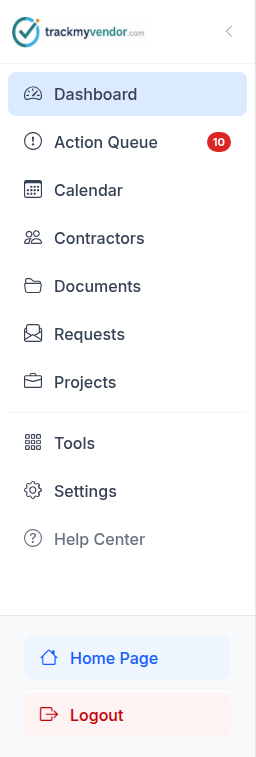
Everything in TrackMyVendor hangs off one idea: a contractor is a record, and licenses, certificates and other documents are filed against it. The sidebar is how you get at them from different angles.
The screens
| Screen | What it's for |
|---|---|
| Dashboard | Your home screen. The contractors who need attention most, deadlines in the next 30 days, document requests that have gone quiet, uploads waiting to be classified, recent activity, and your compliance rate. The export buttons are here too. |
| Action Queue | Everything expired or expiring soon, grouped by contractor. This is the screen to work from day to day. |
| Calendar | One month at a time, every license and document deadline on the day it falls. Click a date to see who is affected and send one of them a notice. |
| Prospects | Subs you're vetting before you hire them: who's been asked, whose packet is in and ready to review, and who's overdue. Approve one and they move to Contractors. See Vet a prospect, then approve or decline. |
| Contractors | The roster of everyone you've hired. Add, import, search, and open any contractor's detail page. |
| Documents | Every file you hold, across every contractor, filterable by type and status. |
| Requests | Upload links you've sent, and whether they've been used yet. |
| Assignments | Groups of contractors — a job, a property, a client. Renameable; see What Projects are. |
| Tools | The occasional jobs: License Search (search state licensing databases and attach what you find), Activity Log (a timestamped record of everything that happened, and who did it), Data Import and Data Export. |
| Settings | Coverage requirements, alert schedule, teammates, billing and your plan, labels, API key and webhooks. Each is a tab across the top. |
Two screens do most of the work
Dashboard is where the day starts: the few contractors worst off, what is due this week, who hasn't answered a request, and how the roster stands overall. Action Queue is the full list behind it — every expired, short or expiring item, and the button that emails everyone on it — the screen to open when you have twenty minutes and want to spend them well.
The rest are places you go for a specific reason: to add someone, to find a file, to change a setting.
Tip
What happens next
Set your coverage requirements before you add anyone, so the first certificate that arrives is judged against the right numbers: Set your insurance requirements first.