
Send a link, get a certificate. Your contractor doesn't need an account, a password or an app — they tap the link, attach the PDF or photograph the certificate, and it lands on their record already read and dated.
-
Open the contractor
Contractors → the contractor's name.
-
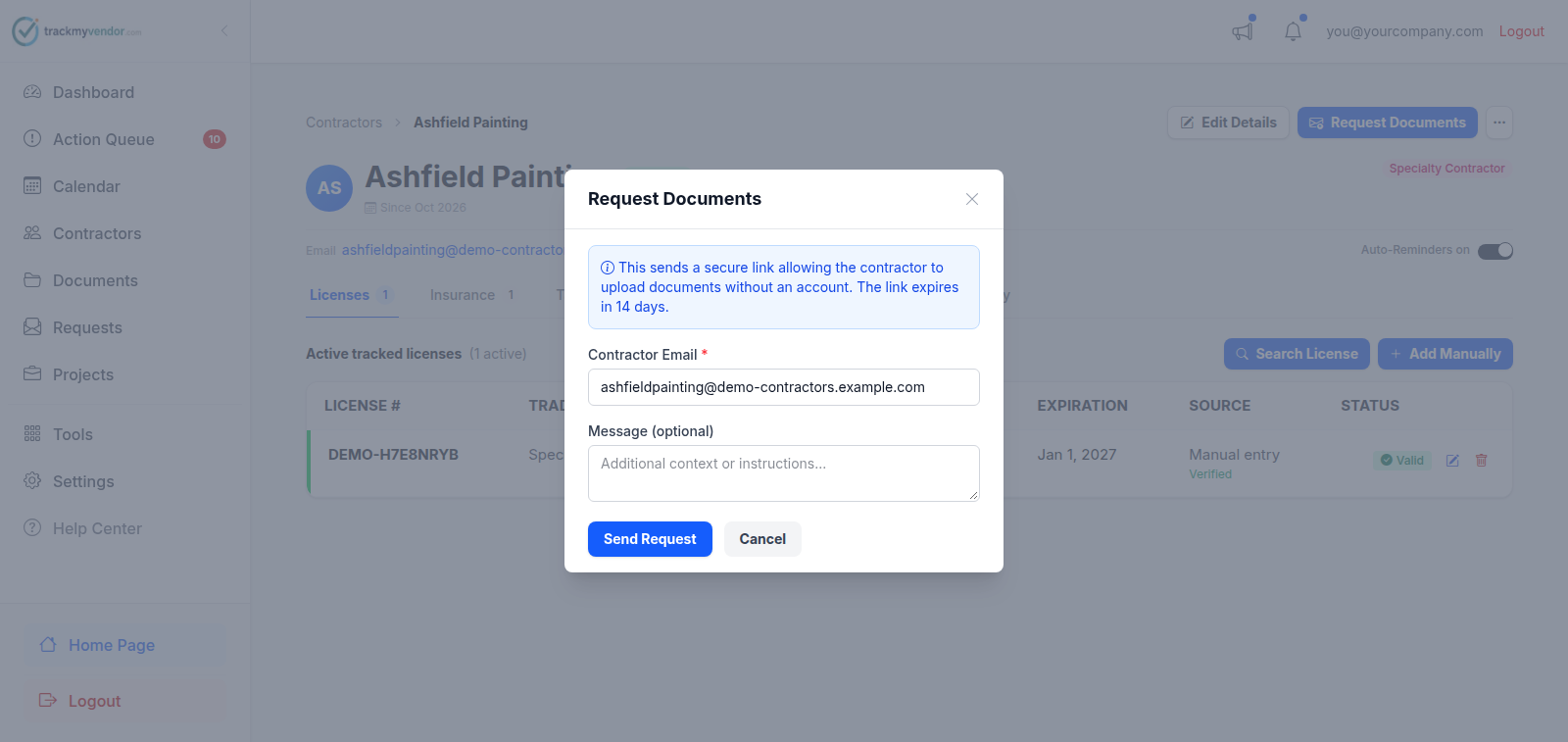
Click Request Documents
Click Request Documents.
-
Set the address and add context
Contractor Email is prefilled from their record. Change it if the certificate comes from their broker rather than from them — brokers are usually faster.
Put the job name in Message. Your contractor works for several general contractors and the email otherwise doesn't say which one is asking.
-
Send
Send Request. The email goes immediately, and the request shows as pending on the Requests tab until it's used.
When nothing comes back
If three days pass with nothing uploaded, the contractor gets one reminder carrying the same link. That happens on every plan, once per request, and never for a contractor whose automatic emails are switched off on their page. When they do upload, everyone on your team gets an email saying what arrived and where the contractor now stands.
Chasing a renewal
You mostly won't have to. On a Starter plan or above, expiring certificates trigger reminder emails at 90, 60, 30 and 7 days, and the contractor's copy carries a working upload link — so the renewal often arrives before you've noticed it was due. See How expiration alerts work.
When you do need to push, resend from the Requests screen rather than sending a new request. Resending issues a fresh link and keeps one thread rather than three.
Careful
Asking the broker instead
Nothing ties the request to the contractor's own address. Put the broker's address in the email field and the link goes there — which is often the shortest path to a correctly-endorsed certificate, since the broker is the one who can actually issue it.
What happens next
When the file arrives, its dates and coverages are read automatically and the contractor's status updates. You don't need to open the PDF unless something looks off: Review and correct a parsed COI.