
Your required coverages are the yardstick every certificate is measured against. Without them, TrackMyVendor can file certificates but can't tell you whether any of them are good enough.
Setting them is two parts: switching enforcement on, and choosing what you require. They're separate because the four coverages have been on by default since long before anything measured against them — applying them to every account at once would have marked most rosters short for coverages nobody had deliberately asked for.
-
Open Settings → Compliance
Settings → the Compliance tab.
-
Turn enforcement on
Tick Enforce coverage requirements. The coverages below it are greyed out until you do — while enforcement is off they're stored but measure nothing, and a contractor is judged on expiry dates alone.
Nothing is applied until you save, so you can set the requirements up in the same visit.
-
Tick what you require
Tick each coverage you require: General Liability, Workers' Compensation, Auto Liability, Umbrella.
An unticked coverage is not checked at all. If you don't require Auto Liability, contractors without it aren't marked short.
-
Set the minimums
Enter a Min. coverage for each ticked one — the lowest limit you'll accept. A certificate below it makes the contractor Non-Compliant even though the coverage exists.
-
Save
Save. Everything on file is re-judged straight away.
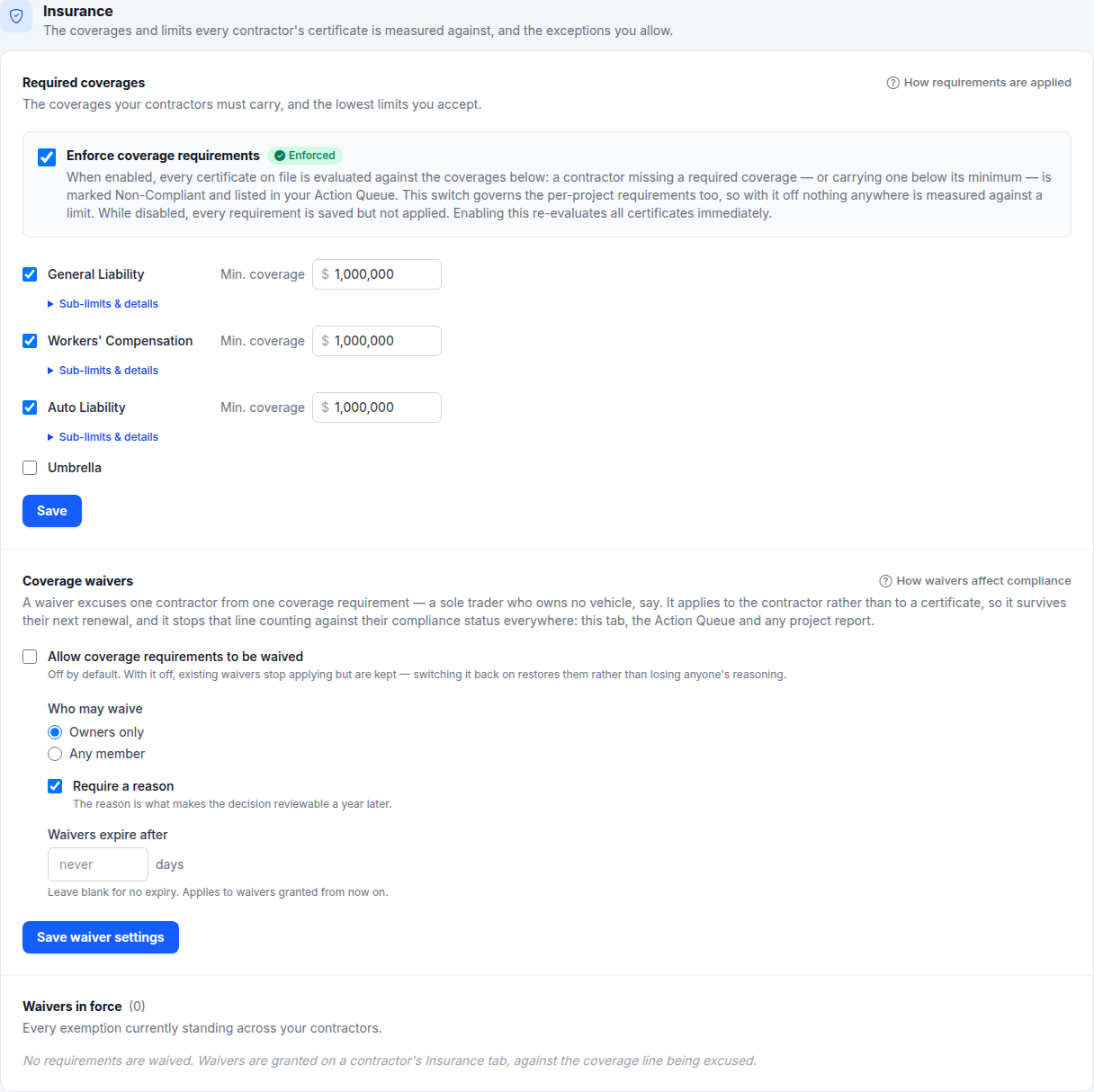
- 1 Nothing below is measured until this is ticked
- 2 The lowest limit you'll accept, per coverage
Sub-limits, split auto limits and statutory limits
Under each ticked coverage, open Sub-limits & details to ask for more than one figure:
- General Liability — General Aggregate, Products / Completed Ops Aggregate and Personal & Advertising Injury.
- Workers' Compensation — E.L. Disease - Policy Limit, E.L. Disease - Each Employee, and Written at state statutory limits, which needs the certificate's PER STATUTE box ticked.
- Umbrella — an Aggregate beside the minimum.
- Auto Liability — under Limit structure, choose Combined single limit or Split limits and enter bodily injury per person, bodily injury per accident and property damage.
Leave a box empty and that figure isn't required. Each figure you set is checked on its own, on one policy, so a contractor is marked short of the exact limit they're missing — "Auto property damage (per accident) is $50,000, below your $100,000 minimum".
Auto limits are compared across the two structures. If you ask for split limits, a certificate showing a combined single limit meets them when it's at least the largest of your split figures. If you ask for a combined single limit, a certificate showing split limits meets it only when every split figure reaches it.
By default the Min. coverage is compared with the largest limit the certificate states for that coverage. Tick Measure the minimum against Each Occurrence only (E.L. Each Accident for Workers' Compensation) to require that one figure instead.
Note
Require less than you think
It's tempting to tick everything. Don't — requiring Auto Liability from a contractor who never drives to site makes them permanently Non-Compliant for a coverage you were never going to enforce, and after a few of those the red badges stop meaning anything.
Set the floor to what you'd actually refuse to let someone on site without. Anything above that belongs on the specific job.
When one contractor is the exception
A requirement that's right for the roster is sometimes wrong for one contractor — the sole trader with no vehicle, the one-person operation carrying no Workers' Compensation on themselves. You don't have to choose between dropping the requirement for everybody and leaving that contractor permanently red.
Excuse them from that one line instead: Waive a coverage requirement for one contractor. Waivers are off until you switch them on, on this same tab.
Higher limits on one job
Don't raise the organization-wide floor for a single contract. Set the higher requirement on the job itself: Set per-project insurance requirements.
Careful