
The point of tracking expiry dates is being told before they matter. TrackMyVendor checks every contractor once a day and emails when something is coming due.
The schedule
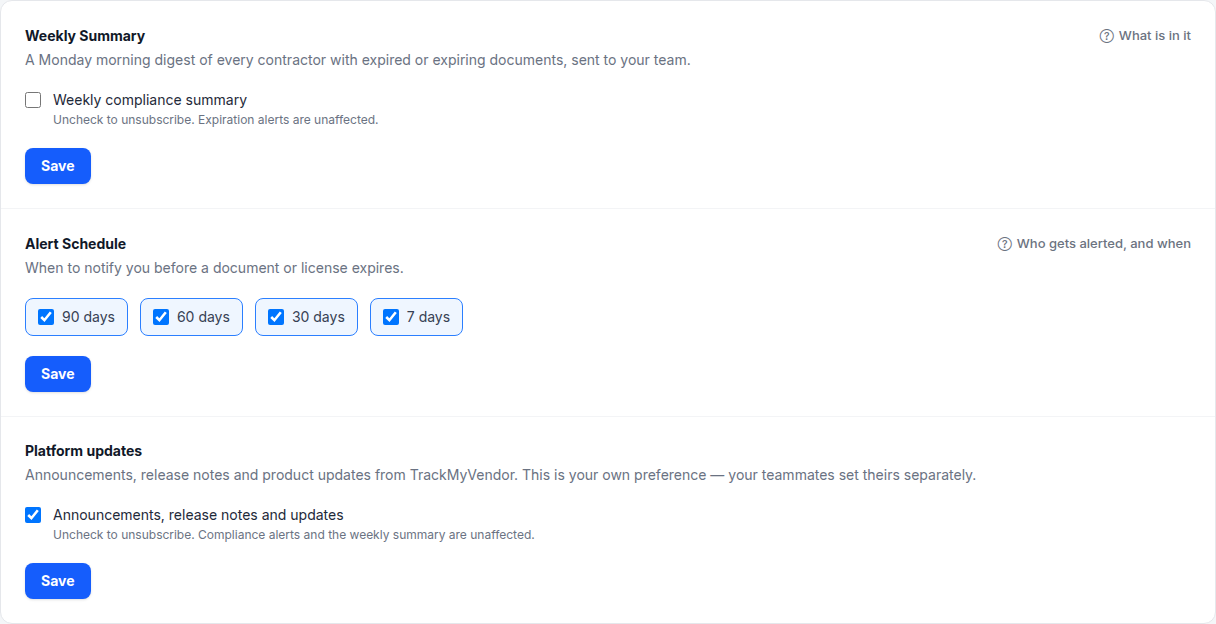
Alerts fire at 90, 60, 30 and 7 days before a deadline. You choose which of the four you want. A new account starts with 60, 30 and 7 days switched on and 90 days off.
The check runs every morning at 7am. An item crossing one of your thresholds overnight produces an email that day, once. You won't get the same 30-day warning twice.
Two emails, two audiences
| Goes to | Contains |
|---|---|
| Your organization's members | Which contractor, which document or licence, and how long is left. |
| The contractor | What's expiring on their side, and — when there's an open request on their record — a link to upload the replacement. |
The second one is the one that saves the time. Most compliance chasing is a person forwarding a reminder to a subcontractor; here that happens on its own.
Careful
Changing the schedule
Settings → Notifications → Alert Schedule. Tick or untick any window. 90 days starts off because three months out, nobody acts — switch it on if your contractors need the longer lead time.
Excusing one contractor
Some contractors don't want chasing — they renew through a broker who sends the certificate straight to you, or their paperwork arrives through a portal. Open the contractor and switch Automatic emails to contractor off. It's at the right of the strip under their name, and the beside it lists what it sends.
That stops the two emails that go to them on their own: the reminder before each deadline, and the three-day follow-up on a quiet document request. Your team's own alert still arrives, and says the contractor wasn't emailed, so the chase is yours to make. It is not a mute button: Request Documents, Request renewal and the Action Queue's buttons still reach them, because those are you deciding to send something.
Nothing is ever sent automatically about something that has already expired, with the switch on or off. Those wait for you in the Action Queue.
On a plan without expiration alerts, the follow-up is the only automatic email, so the switch is labelled Follow-up email.
What triggers one
- Certificates of insurance, per coverage — each policy line has its own date.
- Licences, verified or manually entered.
- General documents you've given an expiration date to.
W-9s never expire, so they never alert. That's exactly why they go missing.
Note