
The console can carry your colours and your logo instead of ours, and on a plan that includes report branding, so can the reports you send clients.
Colour scheme
-
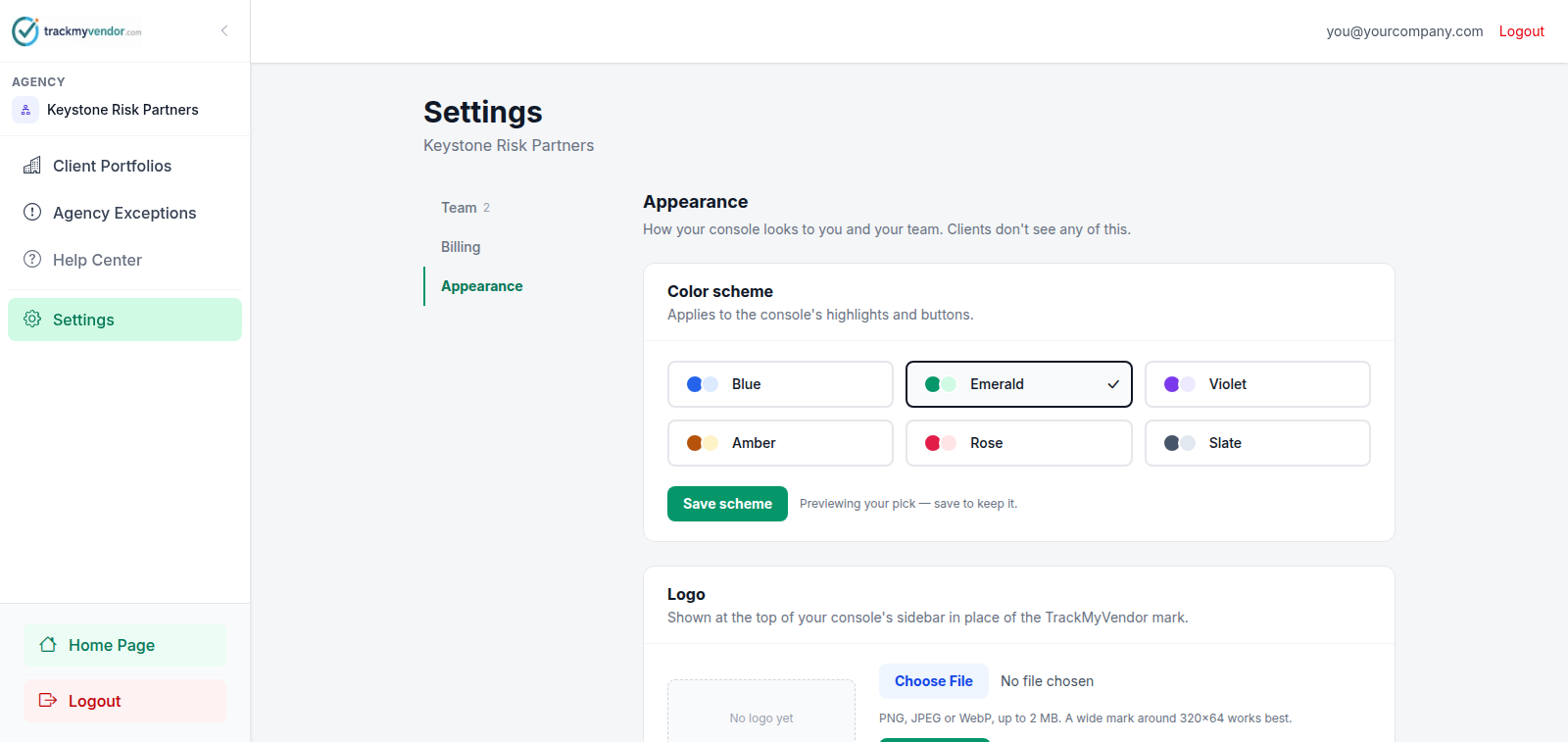
Open Settings → Appearance
Settings → Appearance.
-
Choose a scheme
Pick a scheme. The preview is live — the console recolours as you click, before you commit to anything.
-
Save
Save. Clicking a swatch previews it; saving is what makes it stick.
Your logo
Upload it on the same panel and it replaces our mark in the console sidebar.
Note
Branded reports
On a plan that includes report branding, PDF and Excel exports for your clients carry your mark, accent colour, footer and logo. Nothing to switch on per report.
One caveat worth knowing before you pick a file: PDFs can embed PNG and JPEG only. A WebP logo looks right in the console but falls back to your agency name set in type on a PDF. If your reports matter, upload a PNG.
What isn't branded
Your clients' own screens on the main application host stay unbranded. Branding is the console and your reports — a direct customer's view of the product is never recoloured by an agency.