
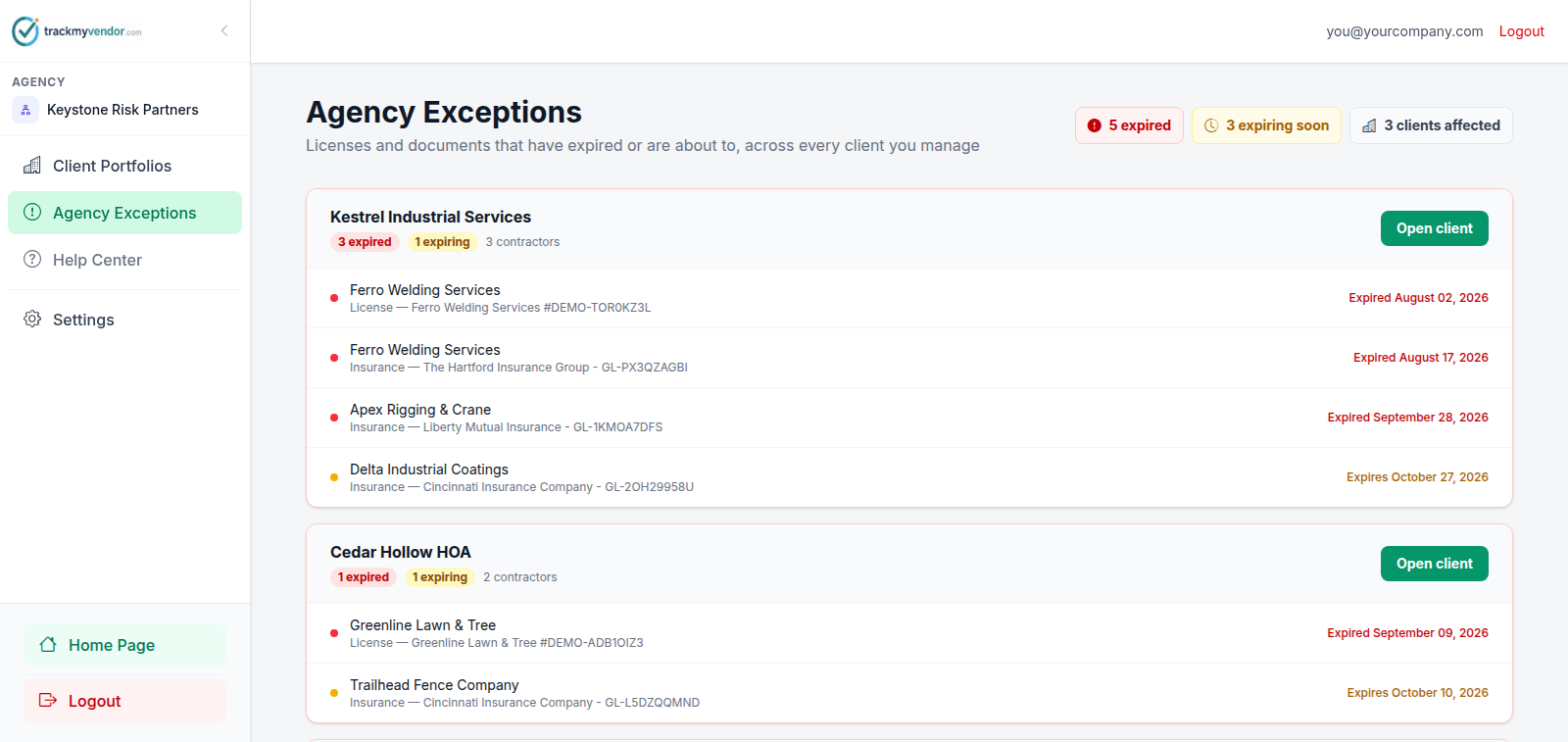
Agency Exceptions is every expired and expiring item across every authorized client, in one list. It's the screen to open on a Monday.
How it's ordered
Grouped by client, worst first — most expired items, then soonest deadline. The client at the top is the one to call.
It uses exactly the same rule as a client's own Action Queue, rolled up. The console and the client's screen can't disagree with each other, because there's only one rule.
Only authorized clients
Clients that haven't authorized you don't appear here at all. They're listed on Client Portfolios so you can chase the authorization, but they contribute no figures — there's nothing to read out of a client whose data you can't see.
A broker sees only their assigned clients here, so the same screen is a different list for different people on your team. That's intended.
Using it
Work top-down. Click through to a client, open the contractor, send the request. Most of what's on this screen is a five-minute renewal request away from being off it.
Tip
For one client at a time, their own Action Queue is the same list, scoped.