
The agency console is for brokers, risk managers and PM firms who track compliance on behalf of client companies rather than for themselves. It lives on its own address and has exactly two screens of its own.
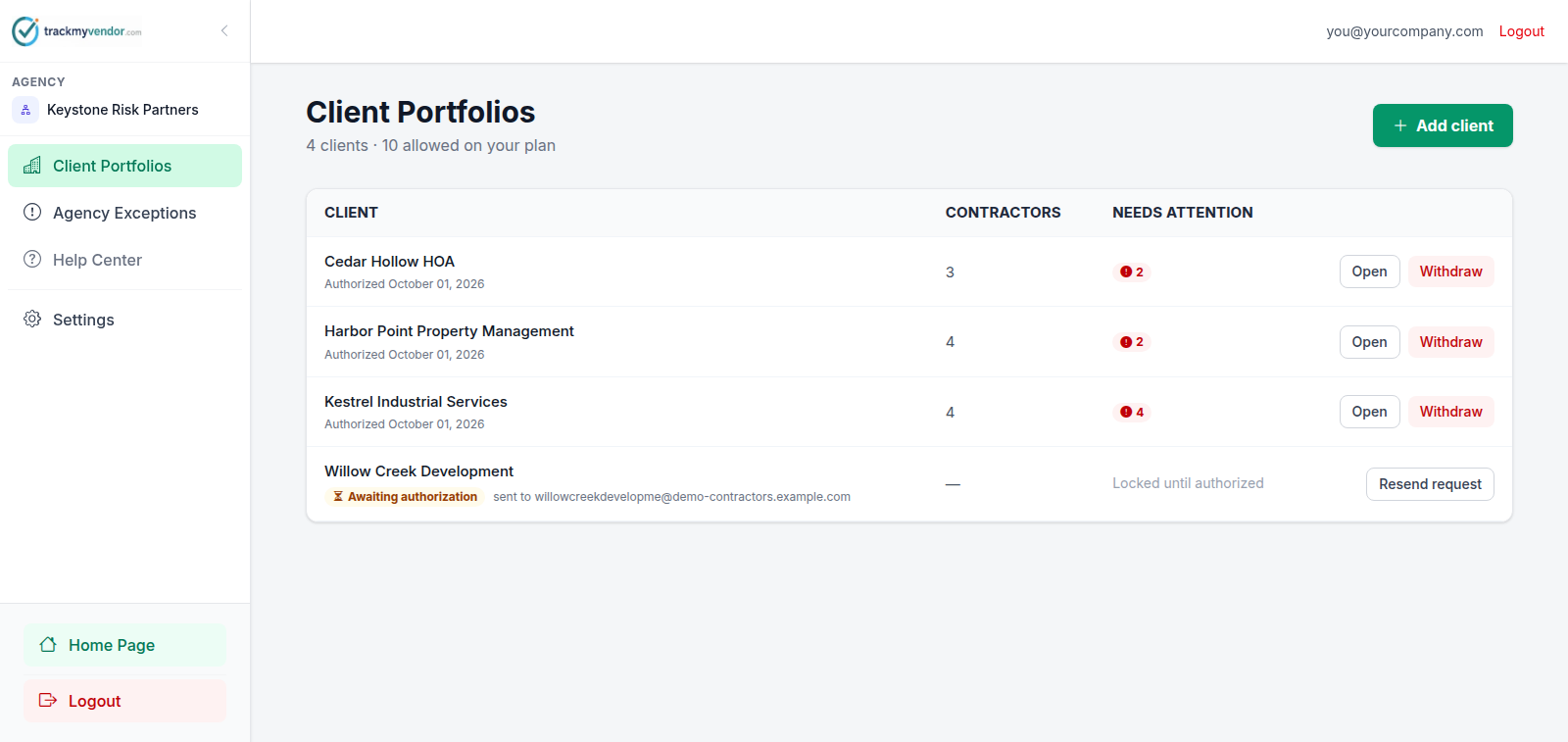
The two screens
| Screen | Answers |
|---|---|
| Client Portfolios | Who are our clients, and where does each one stand? Contractor counts, items needing attention, and the button to switch in. |
| Agency Exceptions | What is wrong across every client right now, worst first. |
Everything else — contractors, certificates, licences, reports — happens inside a client. You don't manage a client's contractors from the console; you open the client and manage them there. See Open a client and work inside it.
Settings
Owner and admin only, and it holds three panels: Team (members, invitations, which clients a broker can reach), Billing (the agency's own subscription), and Appearance (colour scheme and logo).
Who's paying
You are. A client in your portfolio doesn't carry its own subscription — your agency plan is what decides what that client's organization gets, and their own Billing tab is read-only. Change your plan and every client's entitlements move with it.
Access is consented, not assumed
Adding a client to your portfolio doesn't give you access to it. The client has to authorize you first, through a link they click themselves. Until they do, you can see they exist and nothing else — no contractors, no documents, no figures.
That's a deliberate boundary rather than a formality: Add a client and request authorization.
Note