
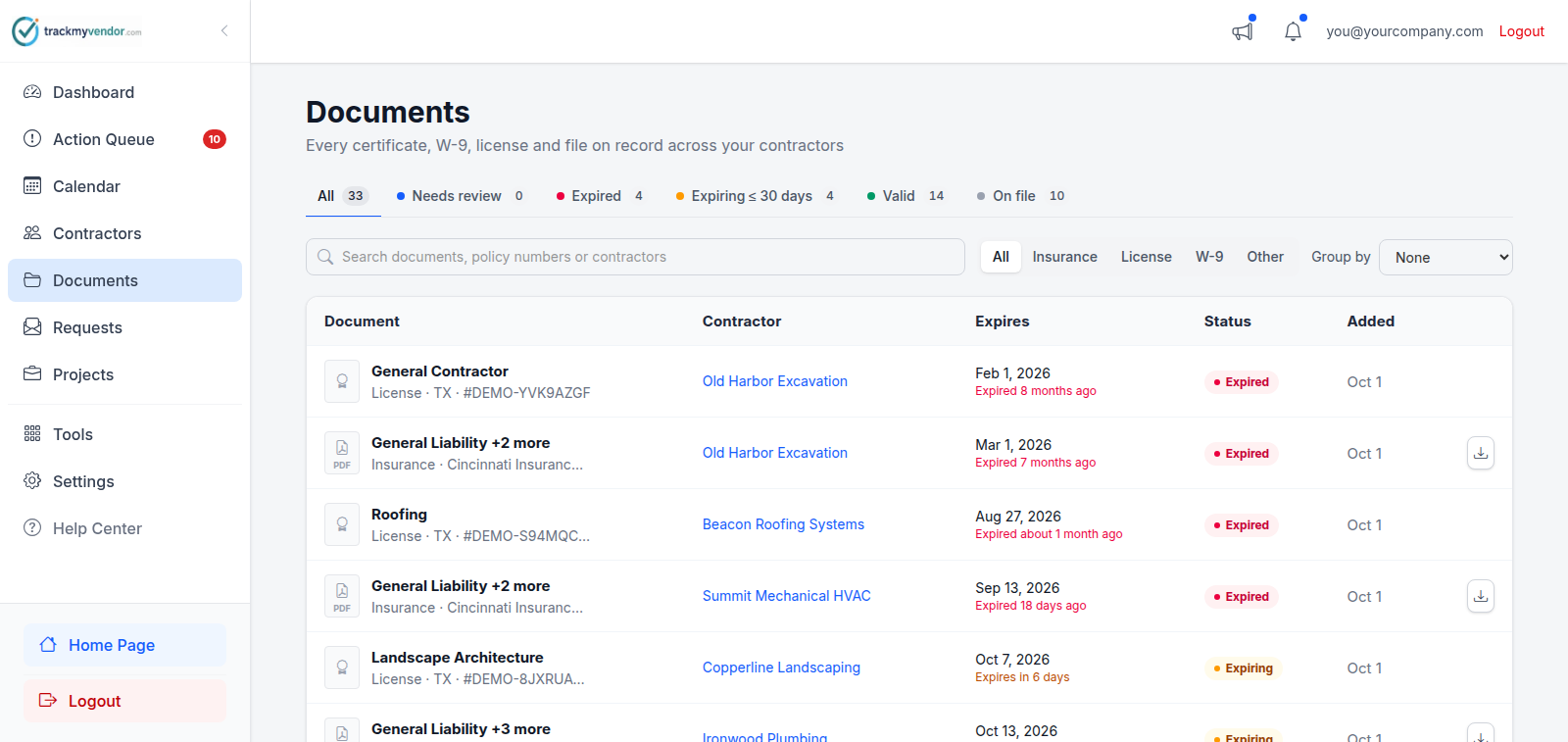
The Documents screen in the sidebar lists every file you hold across every contractor. Use it when you know what the document is but not who it belongs to.
Filtering
- By status — the tabs along the top: Needs review (a file a contractor sent through their upload link that nobody has classified yet), Expired, Expiring ≤ 30 days, Valid and On file (documents that don't expire). Each tab shows how many it holds.
- By type — Insurance, License, W-9 or Other.
- By search — any part of a document's name, a carrier, a policy or license number, or a contractor's name.
Group by arranges the list under headings by contractor, type or status. Clear filters resets the lot when a combination has narrowed you down to nothing.
Previewing a document
Click any row to open it in a panel beside the list: the file itself, its status, dates and details. From there you can Download it or Upload new version; a new version is added alongside the old file, which stays on record. An upload waiting to be classified also has Review, which opens it on the contractor's Documents tab. To chase an expired or expiring document, use the Action Queue.
A file marked Replaced has expired, but a newer one of the same kind is on file, so there is nothing to renew.
Three questions, three screens
This screen is worth using for the right question. Reaching for the wrong one is the most common way to waste time here:
| Question | Screen |
|---|---|
| Where is that file? | Documents |
| What needs chasing? | Action Queue |
| Who do we work with? | Contractors |
Two things it's especially good for
Year-end W-9 collection. Pick W-9 and group by contractor to see every W-9 you hold in one list. Whoever is missing one isn't on it; the Action Queue lists them when a W-9 is required.
Audit requests. Search a contractor's name to see everything you hold on them in one list, rather than walking through their tabs.